From a find to a parcel
How to use the Lovegobuy Spreadsheet
Follow the product link, order and warehouse record through four steps. Screenshots are dated official examples; use your account for the current controls and charges.
1. Choose the item and write the option
Browse a category or use product search. Open the original seller listing, compare measurements and recent item-specific feedback, then save the exact colour, size and quantity. Paste the source URL into Lovegobuy and check the imported information before buying.
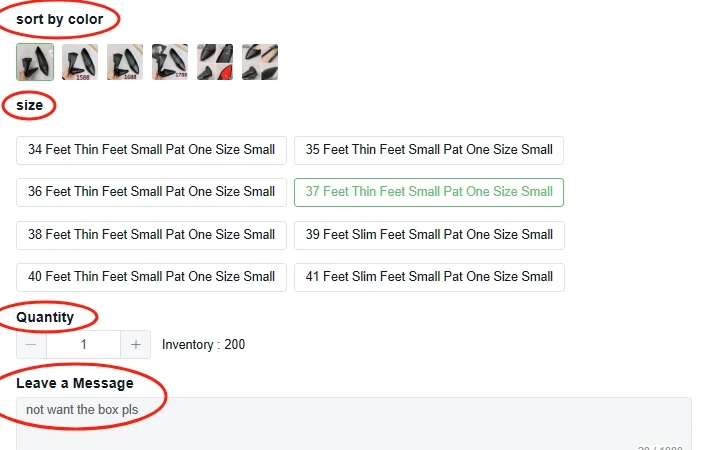
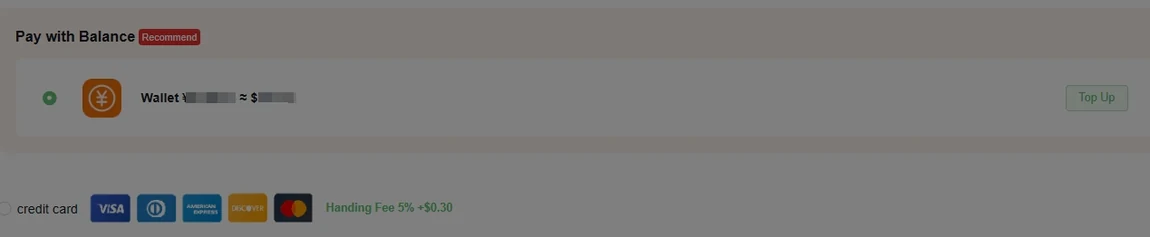
2. Confirm the order and first payment
Review the product price, domestic delivery and any selected services. Read the payment method charge and conversion before confirming. This first payment is separate from international shipping. Monitor the order and messages while the agent purchases and the seller sends the goods.
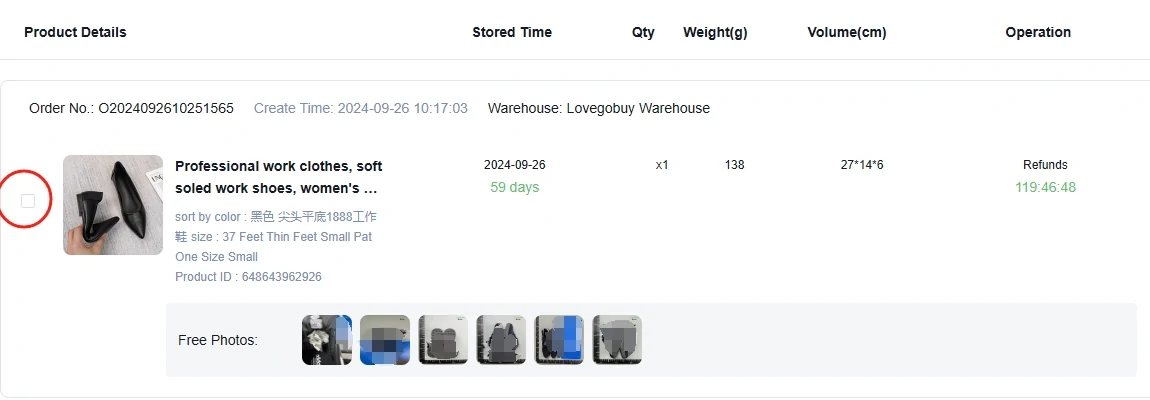
3. Review the warehouse information
Open the stored item record and compare the available photos with the original listing and your saved option. Check the label, model, colour, quantity and visible condition. Ask for a specific additional photo or measurement if that can resolve a question. A photo set is not authentication or a guarantee of function.
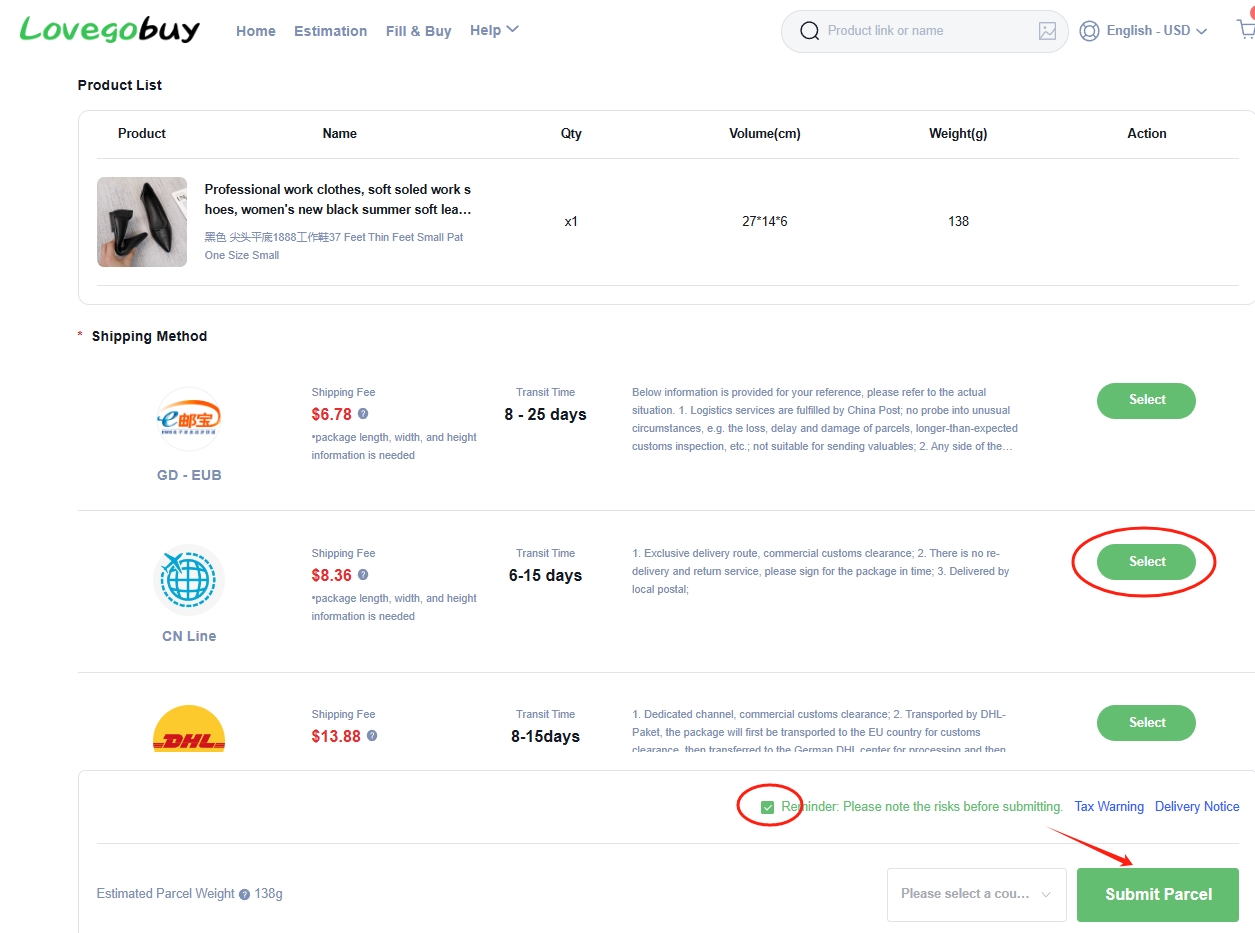
4. Submit the parcel and arrange shipping
Resolve item questions before selecting the goods to ship. Confirm the address, packing choices, eligible route and applicable restrictions. Review the international shipping total; the final packed weight and dimensions may change an estimate. Keep the parcel and tracking record after dispatch.
Keep the listing and the record together
Save the seller URL and the chosen option, order number, payment record, relevant photos and any support response. This gives you a concrete reference if something differs from the order.
How to use this site's search: enter a product name, brand or model, then compare the matching listings. On the official agent site, use its link search for the source URL or its photo-search control for an image reference.
Help centre and frequently asked questions →